
The impact of LLMs and agents on software architecture
Well, it’s been quite the year. My work as a consultant/architect has changed more in the last 12 months than in the last 2 decades - I think the advent of Agile was the last big revolution.
How I use LLMs in software architecture
“Architecture” means different things to different people, and different organisations deploy architects in very different ways. Here are ways I use LLMs and agents.
Understanding a large legacy codebase
A recent engagement was with a large enterprise client, with a large codebase - dozens of repositories, millions of lines of code. Each repository followed it’s own conventions, there were several different development languages, and the documentation was unreliable. I had to get up to speed in a hurry - we were assessing the stability of the platform, and had a limited amount of time. I used Claude Code as a discovery tool - built some skills to look at specifics such as integration points, code complexity and architectural style (and save those to Markdown). I got Claude to create C4 diagrams - context, container and component for key repositories. Very helpful was to get Claude to draw sequence diagrams of key interactions which crossed the boundaries between different repositories. I also asked Claude to explore dependencies - not just code, but also shared data, messages etc.; this helped understand the complexity in the design. I then chatted with Claude to explore different hypotheses.
What worked well:
Claude was able to parse a lot of information, and by working through each repository in turn, we got a decent level of detail without it overwhelming either the context window or my own ability to reason about the information. By distilling this repository-by-repository information into a higher level picture, I think I got a good, accurate view in a matter of days; without Claude, this would likely have taken weeks or months.
The visualization options were especially useful - Claude can output directly into Mermaid or draw.io formats. I’d make changes to the drawings, Claude would read the changes, and update its understanding - this worked well.
Creating skills for looking at the code was pretty straightforward, and gave me a consistent view across repositories; when I found there was information I hadn’t included in the original skill definition, it was easy to add and re-run the skills.
Using the right model for the right task: Haiku was sufficient for the “inspect this repo, tell me about dependencies” kind of skills. In fact, it was arguably better than more powerful models, as it tended not to get lost in too much detail. Sonnet was great for visualizing, and for most of the discovery chats; only very occasionally did I use Opus.
What wasn’t so great:
The diagrams were messy, often included too much information and the layout was not intuitive. Even when I corrected them and asked Claude to read the file, the next iteration was likely to be just as messy. I think this is because reasoning about the problem domain, converting that into visuals, and making those visuals appealing is just too hard.
Claude had a habit of confirming my biases and not pushing back against bad assumptions. I added instructions to the claude.md file, which helped, but it would still often take the shortcut of agreeing with my hypotheses. I ended up instructing it to find why the hypothesis might be wrong, which worked much better.
Gathering industry-specific options
As a consultant, I often get involved in new industries and domains. On a recent engagement for a telco, I had to provide a high-level recommendation for their customer-facing online store. The telco was evaluating all the standard ecommerce providers - but they weren’t considering the specific use cases for telco ecommerce (bundling phones, calling/data plans, add-ons and accessories, upgrades, renewals etc.). I knew these would be challenging in “standard” ecommerce solutions, but I used Claude to look for industry-specific options. This would have taken days of careful Google searching, asking contacts what they were using, and lots of back-and-forth with vendors and their confusing feature lists.
Asking specific questions about technology choices
When evaluating architecture options - especially when integrating with 3rd party vendors - there are technical details that really matter. “Does the API cover this use case?”, “Is there a response time guarantee?”, “How is multi-tenancy supported?”. Often, the websites of those vendors are heavy on the marketing materials, but specific technical details are buried deep in the “Developers” section, sometimes behind authentication screens.
I’ve used ChatGPT and Claude to find answers, and asked them to provide links so I can verify - I haven’t seen a major problem with hallucinations, but they both do tend to overlook crucial details (e.g. the answer applies to a version that’s no longer supported). This approach has saved many hours of searching.
How LLMs have changed my architectural trade-offs.
Software architecture means different things to different people - but a big part is balancing many competing forces. How do we achieve reasonable time to market, acceptable TCO, meet all the functional requirements and edge cases, and meet the non-functional criteria? A big part of that has been the famous “Iron Triangle” - time, resources, scope, with quality in the centre. Resources usually means “people”, but now also includes tooling (Copilot, Claude Code) and tokens.
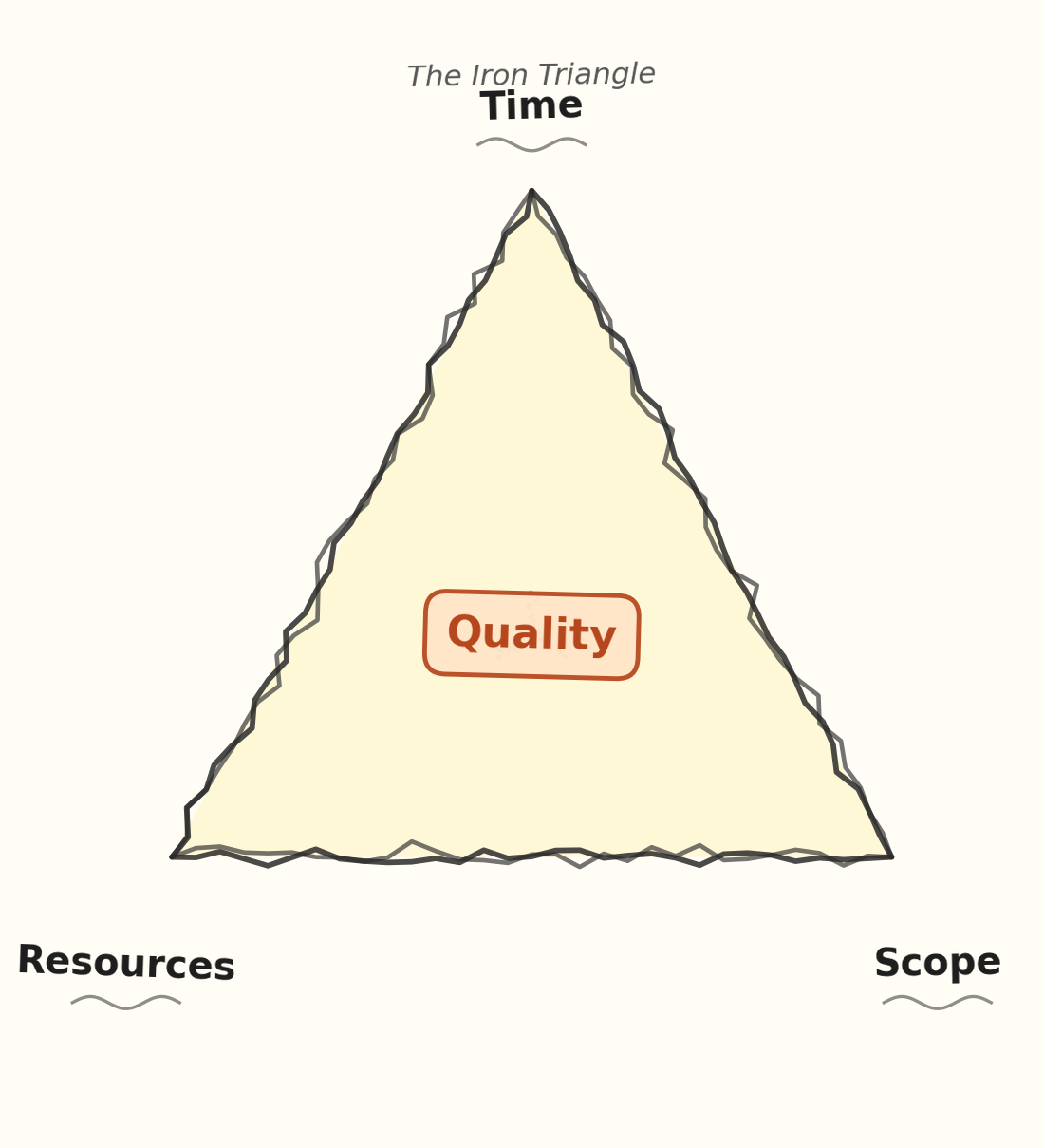
The increased productivity we see in the SDLC has meant many of my judgements/biases have had to shift. “We can’t cover every edge case, there’s just not enough time” will (probably) always be true - but we can now cover far more. “That integration pattern will be really useful when we hit scale, but we don’t have the right people on the team to implement it - let’s keep it simple” is still a useful way to think, but at the margin, we can delegate the implementation to an agent and still get the benefit. “We have significant scalability challenges, let’s rely on hardware scaling first, and only focus on code performance once we know where the bottlenecks are” is still good (highly optimized code is usually harder to read and more prone to bugs), but time/resource constraints are not as compelling as they were.
Those examples are challenges I’ve faced for decades - the desire to add features, use new technologies or create highly optimized code are common. My instinct is usually “let’s build as little as possible, keep the solution as simple as possible, and avoid risks with new technologies”; backing up that instinct with “it is just not possible within our current constraints” was a useful way of persuading people.
But today, that justification is much harder - agents can create new features, write code in unfamiliar languages, write highly optimized code (and maintain it). Sure, you can say “more code means more maintenance” - but I expect that working with code will increasingly become a job for the agent and its LLM buddy. You can argue it will create a (much) larger context window for the LLM - but it’s reasonable to expect that limit to lift over time. You could argue that more code means more bugs - but again, we can expect our agents to get better at coding, and also at testing.
And this takes me to my conclusion. Just because we can doesn’t mean we should! and simpler is better are judgement calls - users generally prefer simple applications that do one thing well, rather than fully-featured applications that are hard to use. No matter how smart your agentic code buddy, simple code is easier to work with.
Change - the only constant, complexity the eternal enemy
Over its life, a software application generally costs (much) more to maintain than it cost to write in the first place. That cost is generally driven largely by complexity, and that will remain true, whether humans or machines write the code. Complexity increases cost exponentially. Complexity, in turn, seems to be driven by a few attributes.
Conceptual coherence
This is the key driver, in my experience. If you can reason about what the system does, at roughly the same level of abstraction, and there’s a cohesive vision behind it, the system is much easier to understand. It can be large and it can cover many use cases - Microsoft Excel is huge! - but it does one thing (help people manage numerical information).
Size
However, size definitely matters. All things equal, a large system is more complex than a small system.
Modularity/isolation/coupling
The traditional solution to complexity of growing systems was to find boundaries - modules, micro services, packages - that isolated sub systems, and allow us to reason at a higher level about the system.
Non-functional requirements
Even a small, well-factored application that has extreme non-functional requirements - super low latency, scaling to hundreds of thousands of concurrent users, resistance to state-level attackers - inevitably becomes more complex.
Implementation choices
Choosing the right tool for the job helps - business applications written in Assembler are generally much more complex than systems written in Python - but it’s probably not a good idea to write a device driver in Python.
And all these forces interact with each other - if the product vision is large, the code base is usually large too, and generally requires decompposition into modules (if only at the concept level).
So, if we use our new tools to build large, incoherent systems, ignoring modularity and optimizing via esoteric technology choices, we make the system more complex. How much more complex depends on many factors - how coherent is the product vision? How much have we invested in modularity and design? Are we using the right tools for the job? These, of course, are questions architects have to address every day.
The next question is “when do things become too complex?” - and the answer depends on what you believe about Artificial General/Super Intelligence. But most measures of complexity (the number of connections within a system is a good proxy) scale much worse than linearly. Imagine a system with 2 components, connected to each other; that gives you just one possible connection. Now imagine 6 components, all connected to each other - that gives you 15 possible connections.
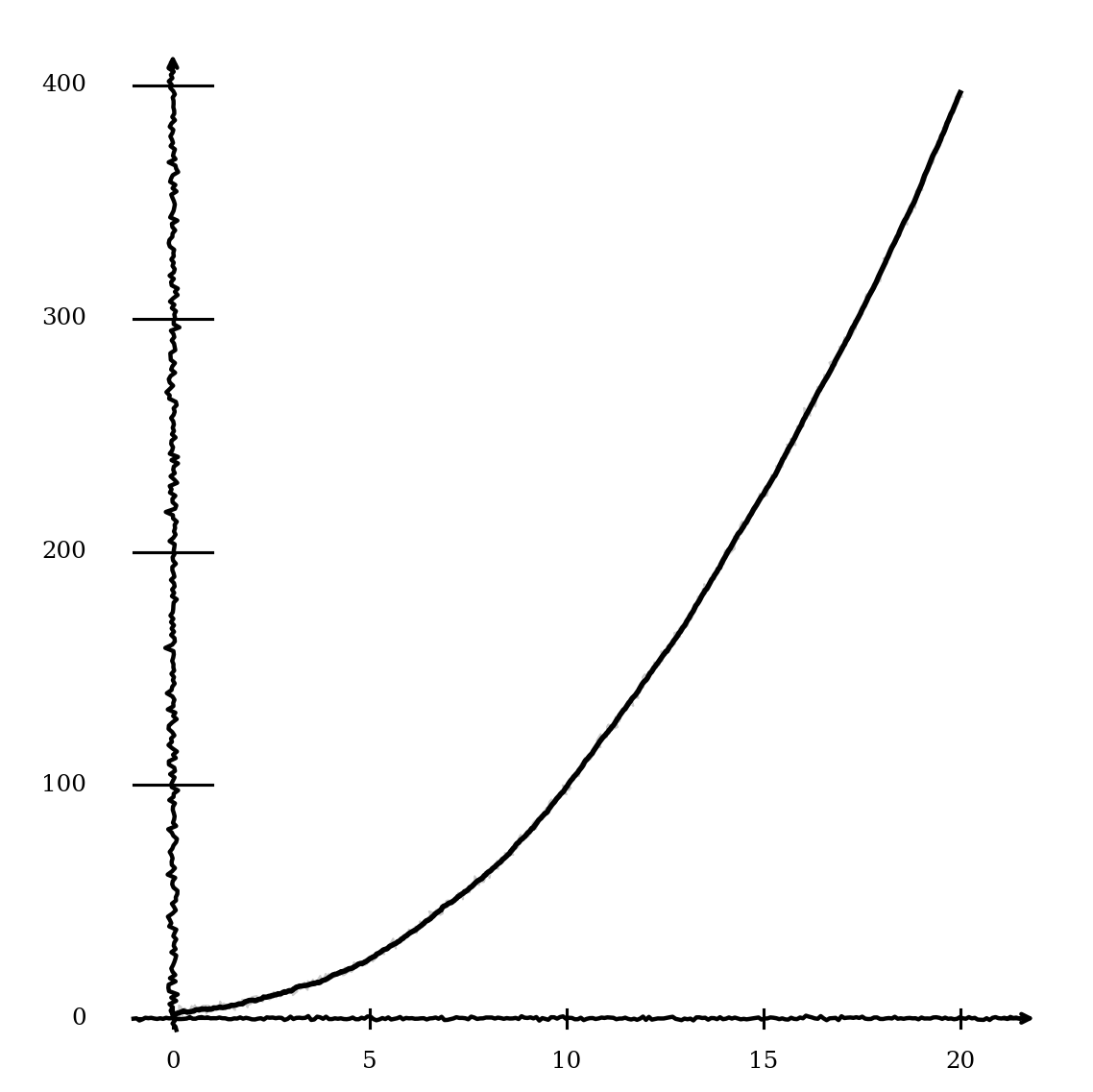 The point is - complexity increases much faster than the number of components in the system. Modularity reduces the number of connections; handling extreme non-functional requirements or inappropriate tool choice increases them.
And what we’ve learned from AI is that the cost of handling complex situations scales equally - Sonnet is about 3X more expensive than Haiku, and Opus is about 5X more expensive.
So, we’re back to trade-offs. Can we increase functionality while not exploding complexity? The trade-offs are different - we can get the agent to refactor our code for much less effort than it would take a human!
So, we’re back to judgement. We make guesses about the future - “LLMs will be intelligent enough to solve any problem cheaply”, “LLMs will always be constrained by complexity” - architecture is understanding those guesses, and making smart bets.
Don’t forget the user!
And while this isn’t my personal area of expertise, in most circumstance I think users prefer simple applications over complicated ones. For me personally, Microsoft Office became almost unusable at the point they introduced the double navigation bar - lots of features, but finding them was really hard!
The wider point is that without some coherent conceptual model of what an application is, the complexity inevitably leaks through to the end user, and that is usually not a good thing.